
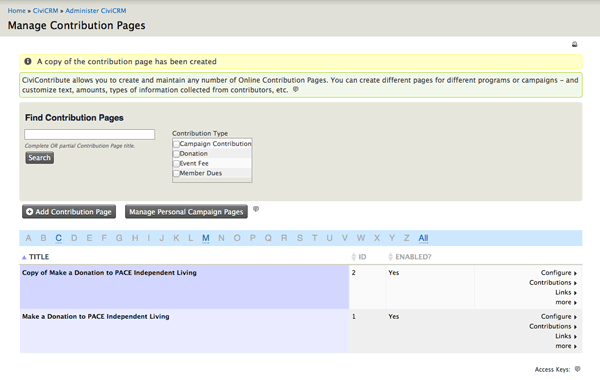
To create a Contribution page in CiviCRM:
Click on the CiviCRM button in the grey menu bar (top). Click on Contributions -> Manage Contribution Pages. Here you'll find a listing of all existing Contribution pages. Select a Contribution page that is closest to the Contribution page you'd like to create. Go to the far right column and click on more -> Make a Copy. This will effectively clone the existing Contribution page and all its settings. Click on Configure -> etc. to make changes to the Title and Settings, Contribution Amounts, Membership Settings, Thank-you and Receipting, etc.